

POHODA mServer
Extract address book, invoices, orders, stock and other agendas from STORMWARE POHODA through its mServer XML API, with incremental loading.
STORMWARE POHODA (opens in a new tab) is a widely used Czech accounting system. The POHODA mServer data source connector reads its agendas through the mServer HTTP/XML API and writes them to Storage tables. One configuration row extracts one agenda: address book, invoices, orders, offers, enquiries, stock, cost centres, contracts, activities, internal documents, cash vouchers, payment forms or bank accounts. The POHODA mServer data destination connector writes records the other way.
XML records are flattened into tables, with document line items in separate child tables. Incremental loading uses POHODA’s lastChanges filter: after the first run, each run fetches only the records changed since the previous one.
Prerequisites
Section titled “Prerequisites”- A running POHODA mServer that Keboola can reach over plain HTTP. The default mServer port is 444, and mServer does not use HTTPS by default, so credentials and data travel unencrypted. Allow access to mServer only from Keboola’s IP addresses.
- The IČ (company ID) of the accounting unit to extract.
- A POHODA user account, not a Windows or domain account, and its password if it has one.
Configuration
Section titled “Configuration”Create a new configuration of the POHODA mServer data source connector.
Connection
Section titled “Connection”These settings are shared by all rows:
| Field | Required | Description |
|---|---|---|
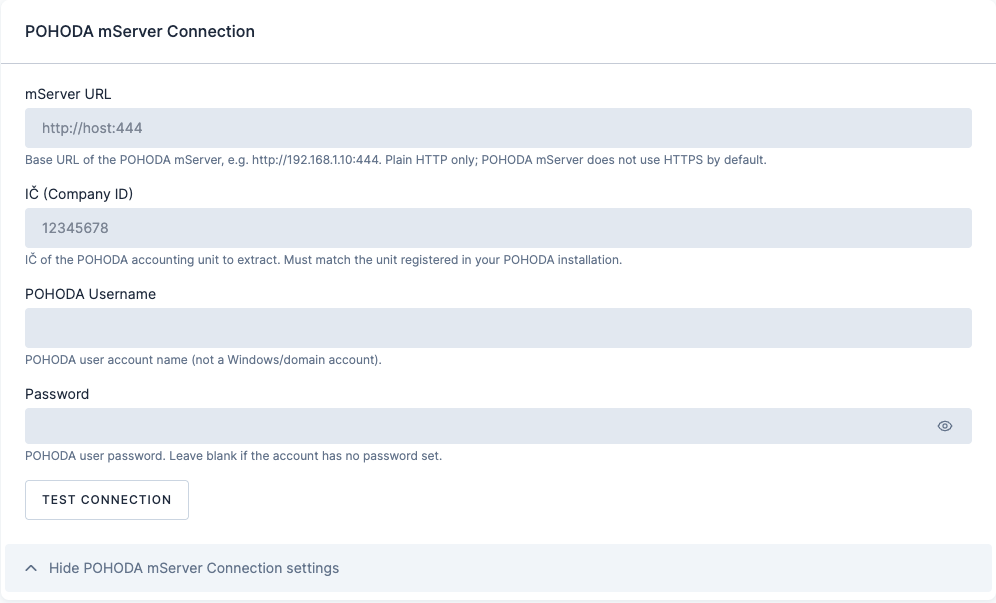
| mServer URL | Yes | Base URL of the mServer at an address Keboola can reach, for example http://pohoda.example.com:444. It must be reachable from Keboola’s IP addresses; a private address such as 192.168.x.x is not. |
| IČ (Company ID) | Yes | IČ of the POHODA accounting unit. It must match the unit registered in your POHODA installation. |
| POHODA username | Yes | POHODA user account name. |
| Password | No | Leave empty if the account has no password. The value is stored encrypted. |
Click Test connection to confirm that the mServer is reachable and accepts the credentials, then save.
Row configuration
Section titled “Row configuration”Click Add Row and configure one row per agenda:
| Field | Description |
|---|---|
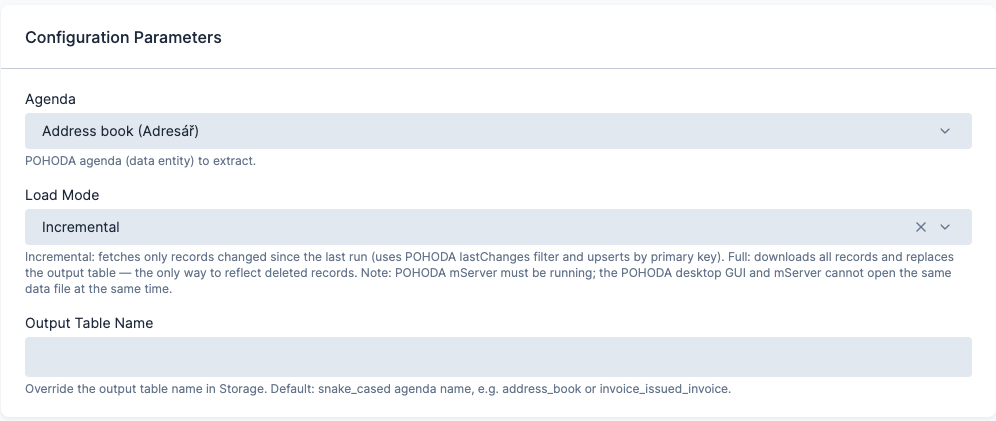
| Agenda | The POHODA entity to extract: address book, centre, contract, activity, stock, invoice, order, offer, enquiry, cash voucher, internal document, payment form or bank account. |
| Invoice type, Order type, Offer type, Enquiry type | One of these appears when the agenda is Invoices, Orders, Offers or Enquiries. It selects the document direction and sub-type, for example Issued invoice, Received invoice or Issued advance invoice. |
| Load mode | Incremental (default) fetches only the records changed since the last run and upserts them by primary key. Full downloads all records and replaces the table. A full load is the only way to capture deletions. |
| Output table name | Overrides the default table name, which is the agenda in snake case, for example address_book or invoice_issued_invoice. |
Output
Section titled “Output”Each row produces one table in Storage, named after the agenda and document type unless you override the name. Line items of document agendas land in a separate child table linked to the parent record. Incremental rows upsert by primary key; full-load rows replace the table.
Was this page helpful?
Thank you for helping improve Keboola's documentation!