

Custom Python
This component lets you run custom Python code directly in Keboola. Use it to call external APIs, process files, push data to third-party systems, or build any integration that isn’t covered by an existing connector — all without leaving Keboola.
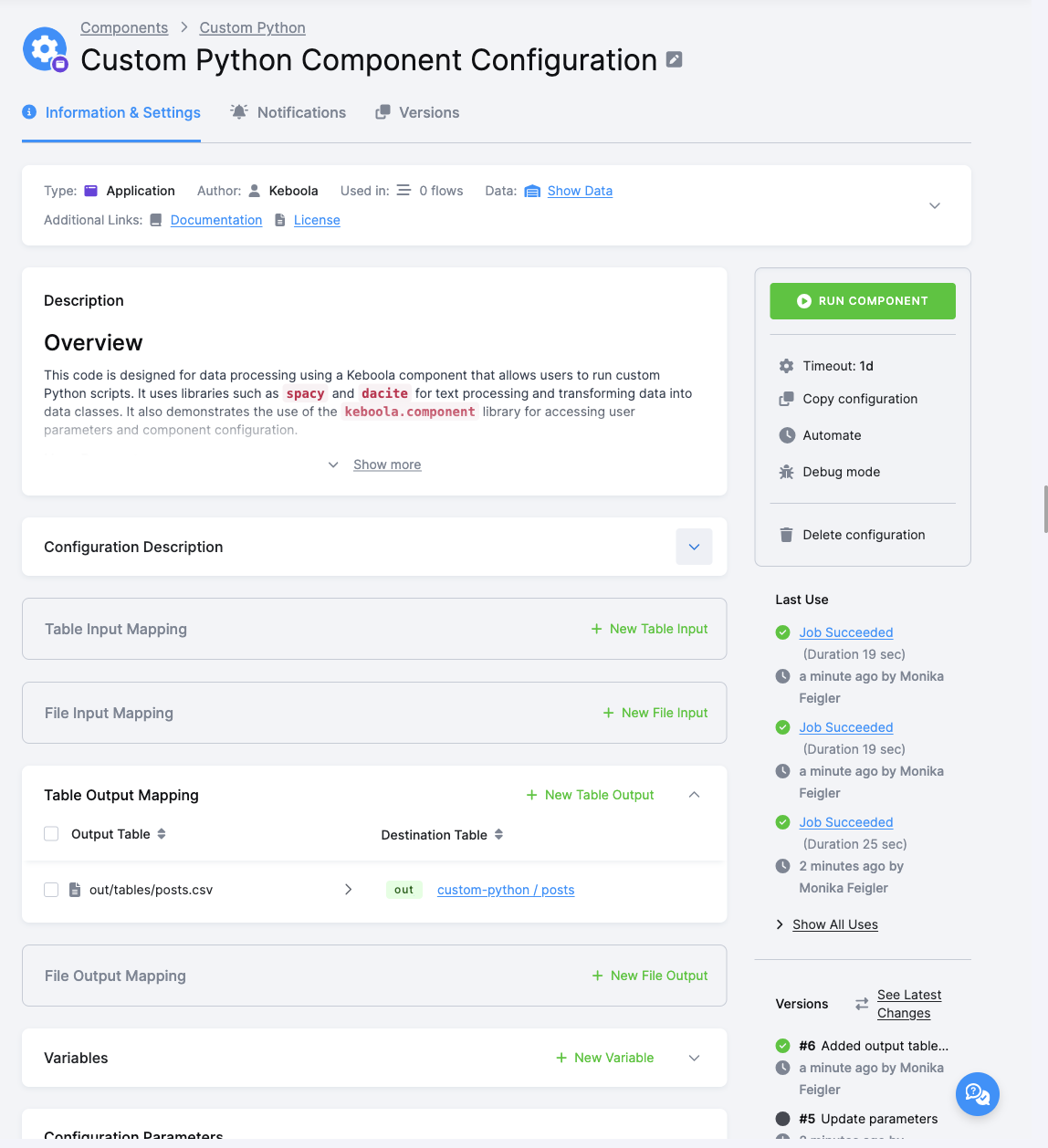
When to Use Custom Python
Section titled “When to Use Custom Python”| Scenario | Use |
|---|---|
| Transform or aggregate data already in Keboola Storage | Python Transformation |
| Connect to an external API or service, download or push data | Custom Python |
| Store and use sensitive credentials (API keys, passwords, tokens) | Custom Python |
| Share logic across multiple Keboola projects | Custom Python |
Key Features
Section titled “Key Features”- Secure parametersEncrypt API keys, tokens, and passwords directly in the Keboola UI using the
#prefix. - Flexible code sourceWrite code in the Keboola UI, or load it from a Git repository.
- Clean environmentEach run uses an isolated container. Install only the packages you need.
- Multiple Python versionsChoose Python 3.12, 3.13, or 3.14.
Configuration
Section titled “Configuration”Create a new configuration of the Custom Python application.
Python Version
Section titled “Python Version”
Select the Python version for your code:
- 3.14 (recommended) — Isolated environment with only the packages you install.
- 3.13 — Isolated environment.
- 3.12 — Isolated environment.
- base — Shared environment (Python 3.10) with many pre-installed packages in legacy versions. Not recommended; will be deprecated in the future.
Source Code & Dependencies
Section titled “Source Code & Dependencies”Choose where your Python code comes from:
Enter manually into text areas below (default)
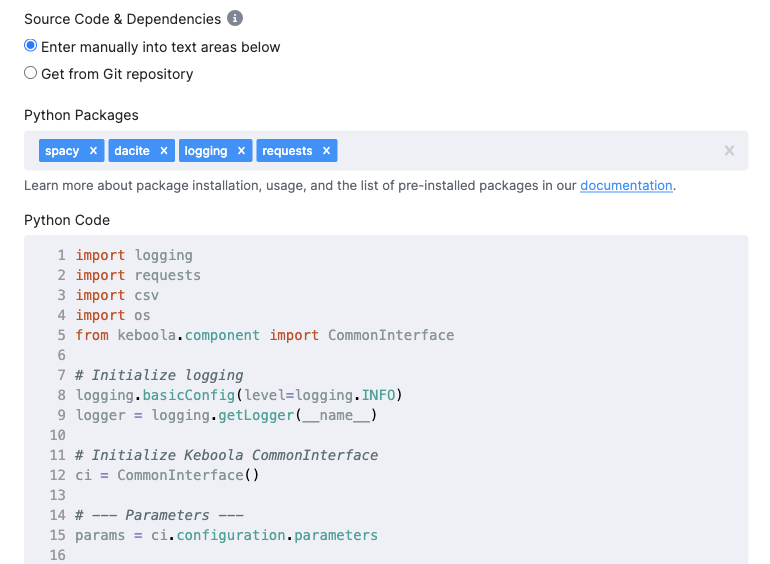
Write or paste your code directly in the Keboola UI. Use the Python Packages field to list any extra packages to install.
Get from Git repository
Load code from a public or private Git repository. See Git Configuration below.
User Parameters
Section titled “User Parameters”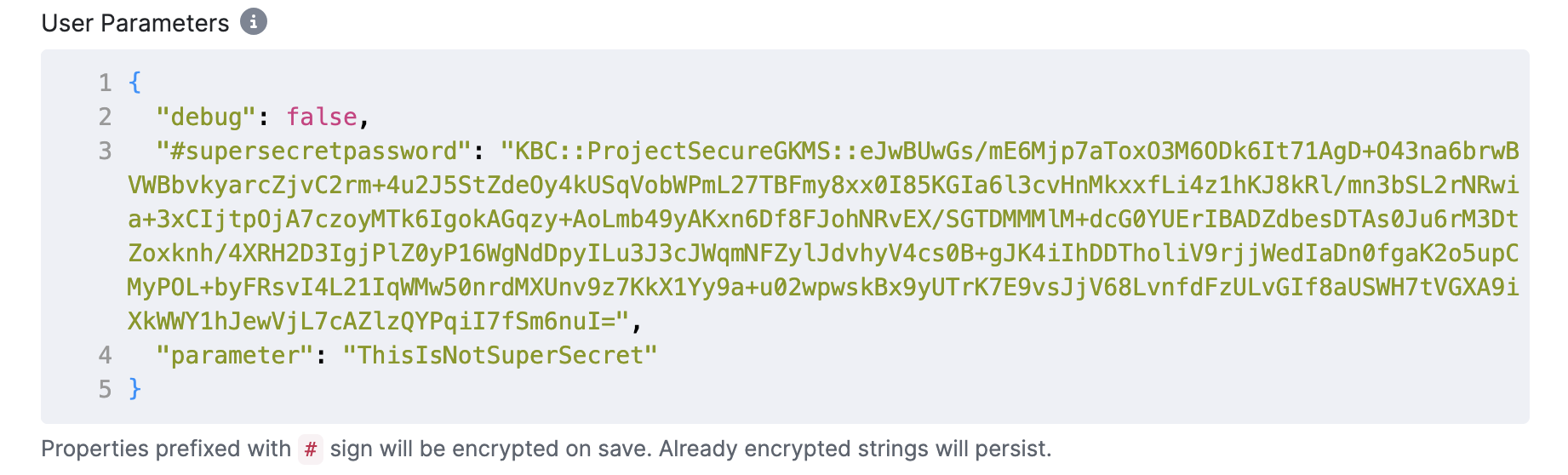
Use User Parameters to pass configuration values to your code — for example an API base URL, a target table name, or debug flags. Enter them as a JSON object.
Any key starting with # (e.g., #api_key) will be encrypted when you save the configuration.
The decrypted value is available to your code at runtime via CommonInterface.
Git Configuration
Section titled “Git Configuration”When using Get from Git repository as your code source, fill in the repository settings:
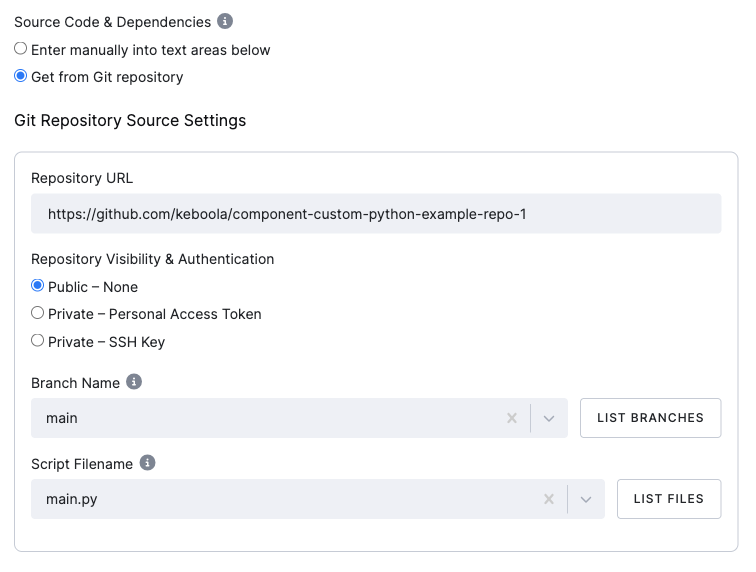
- Repository URLSupports both HTTPS and SSH formats.
- Repository Visibility & AuthenticationChoose one of:
- Public – NonePublic repository, no credentials needed.
- Private – Personal Access TokenThe token is encrypted in Keboola Storage.
- Private – SSH KeyThe private key is encrypted in Keboola Storage.
- Branch NameThe branch to check out. Defaults to
main. Use List Branches to pick from the repository. - Script FilenameThe Python file to run. Defaults to
main.py. Use List Files to pick from the repository.
Dependencies
Section titled “Dependencies”Place your dependency file in the repository root:
pyproject.toml+uv.lock(recommended) — Modern approach using uv.requirements.txt— Legacy approach.
If both are present, pyproject.toml + uv.lock takes precedence.
Writing Your Code
Section titled “Writing Your Code”Your code communicates with Keboola Storage and configuration via the
keboola-component Python library and CommonInterface.
The following snippet is pre-filled in every new configuration and shows the basic pattern:
from keboola.component import CommonInterface
ci = CommonInterface()# Access user parameters defined in the configurationprint(ci.configuration.parameters)
For the full CommonInterface reference — including reading input tables, writing output tables,
working with files, state files, error handling, and logging — see the
Developer Documentation.
Using Kai to Configure Custom Python
Section titled “Using Kai to Configure Custom Python”Kai, Keboola’s AI assistant, can help you set up and work with the Custom Python component directly from the Keboola UI. Open Kai in your project and describe what you need — for example:
- “Create a Custom Python configuration that fetches data from the Stripe API and saves it to Storage.”
- “Help me set up a Custom Python component to push data from my orders table to a REST API.”
- “Debug my Custom Python job — it’s failing with a connection timeout.”
Kai understands the Custom Python component’s configuration, the CommonInterface library,
and Keboola best practices. It can generate code snippets, configure user parameters with
encrypted credentials, set up Git repository integration, and troubleshoot failed jobs —
all within the chat.
Example Repository
Section titled “Example Repository”We have prepared a simple example project to help you get started with running code from a Git repository. It can also serve as a template for your own projects.