

Tableau Extract Refresh Trigger
The Tableau Extract Refresh Trigger application triggers extract refresh tasks on Tableau data sources and workbooks directly from a Keboola flow. It supports both full and incremental refresh types, and can either wait for all triggered tasks to complete (poll mode) or fire and finish immediately.
Prerequisites
Section titled “Prerequisites”- Tableau Personal Access Token (PAT) — required since February 2022
- The token owner must be the data source owner or a Site Admin in Tableau
- All data sources and workbooks must be published to Tableau Online/Server with the required extract refresh tasks already configured
Authorization
Section titled “Authorization”The component authenticates using a Personal Access Token (PAT). Follow the Tableau documentation to create one.
Tableau allows only one active session per token, so configurations that share the same token interrupt each other when they run at the same time. Create a separate PAT for each configuration.
Create New Configuration
Section titled “Create New Configuration”Create a new configuration of the Tableau Extract Refresh Trigger application and fill in the parameters below.
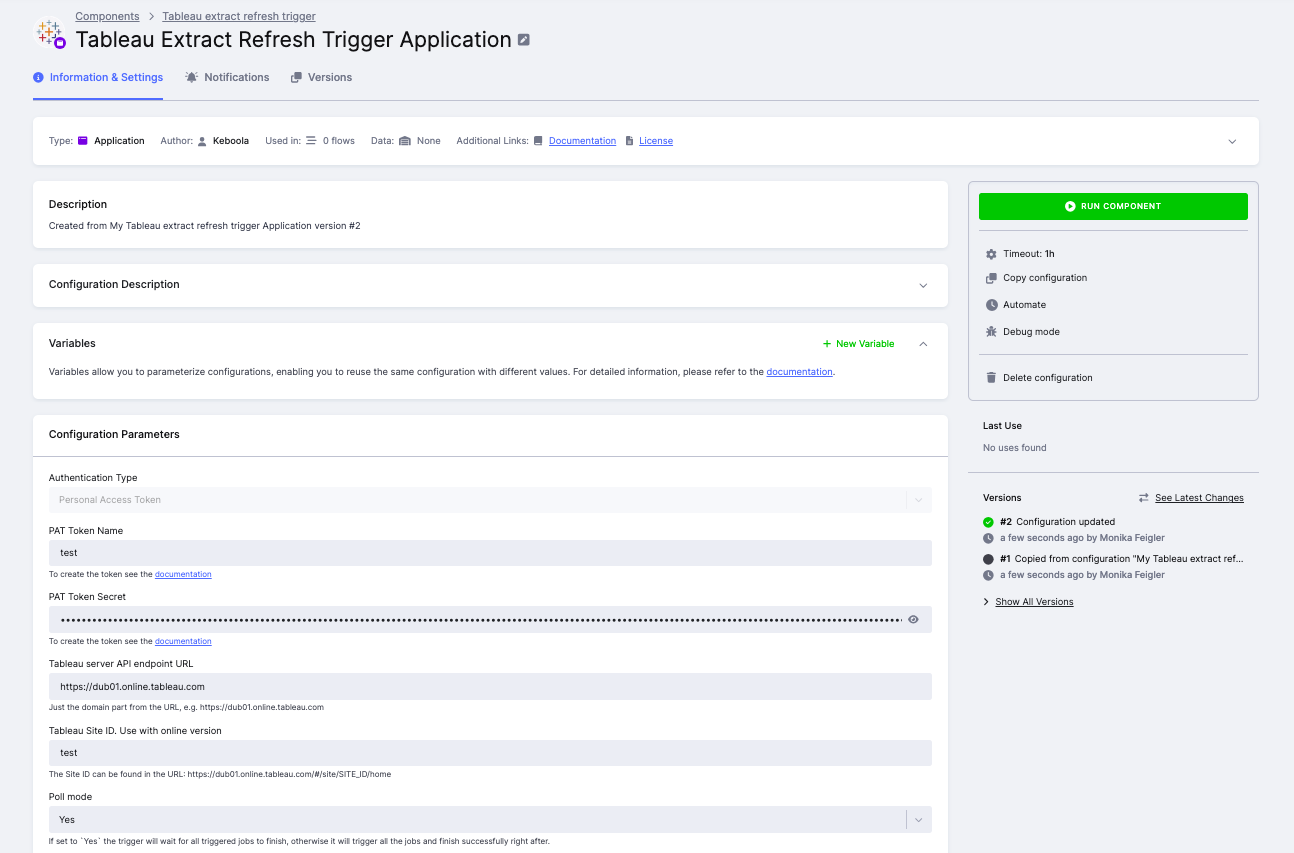
Authentication
Section titled “Authentication”- PAT Token NameTableau user’s Personal Access Token name.
- PAT Token SecretTableau user’s Personal Access Token secret.
- Tableau server API endpoint URLThe domain of your Tableau server, e.g.,
https://dub01.online.tableau.com. - Tableau Site IDThe Site ID from the URL, e.g.,
SITE_IDinhttps://dub01.online.tableau.com/#/site/SITE_ID/home. Required for Tableau Online.
Poll Mode
Section titled “Poll Mode”If set to Yes, the component waits for all triggered refresh tasks to finish before completing. If set to No, it triggers all jobs and finishes immediately after.
Continue on Error
Section titled “Continue on Error”If enabled, the component continues refreshing remaining data sources or workbooks even if one of them fails.
Tableau Datasources and Workbooks
Section titled “Tableau Datasources and Workbooks”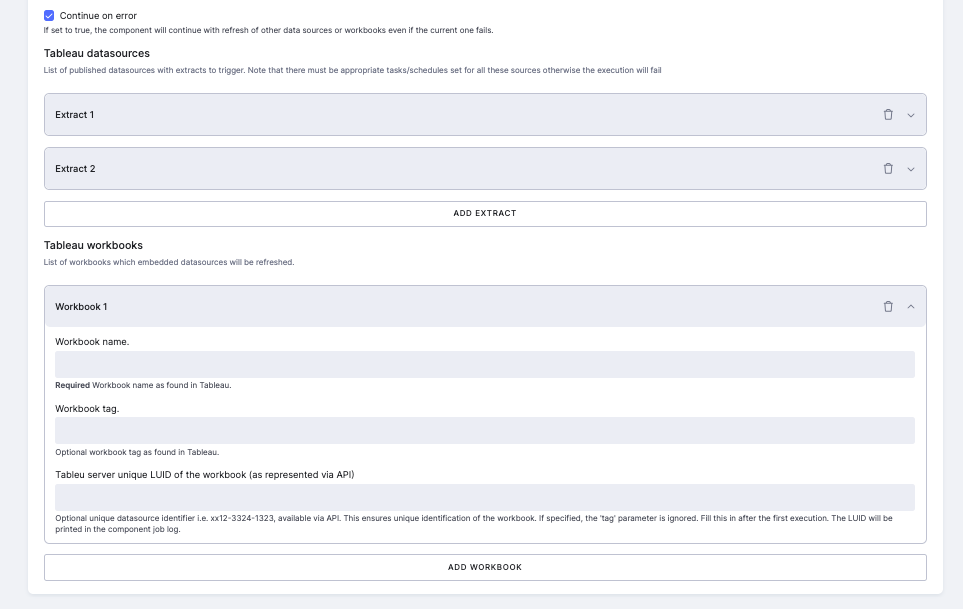
Tableau datasources — list of published data sources with extract refresh tasks to trigger.
Tableau workbooks — list of workbooks whose embedded data sources will be refreshed.
For each datasource or workbook, fill in:
| Parameter | Description |
|---|---|
| Name | Name as displayed in the Tableau UI. Must be unique — if multiple matches exist, the job fails and lists all candidates with their tags. |
| Tag | Optional. Use to disambiguate when multiple sources share the same name. Acts as an additional filter; omitting it returns all matches regardless of tags. |
| LUID | Optional. The unique server identifier (e.g., ecf7d5e0-c493-4e03-8d55-106f9f46af3b). If specified, tag is ignored. Recommended for production configurations. |
| Refresh type | (Datasources only) Either RefreshExtractTask (full) or IncrementExtractTask (incremental). The specified task type must already exist in Tableau. |
Finding the LUID: On first run, the LUID for each matched datasource or workbook is printed in the job log. Copy it into the configuration to ensure stable, unique identification in future runs.
Sample Configuration
Section titled “Sample Configuration”{ "parameters": { "token_name": "my-pat-token", "#token_secret": "XXXXX", "site_id": "testsite", "endpoint": "https://dub01.online.tableau.com", "poll_mode": true, "datasources": [ { "name": "FullTestExtract", "type": "RefreshExtractTask", "luid": "ecf7d5e0-c493-4e03-8d55-106f9f46af3b" }, { "name": "IncrementalTestExtract", "type": "IncrementExtractTask", "luid": "ecf7d5e0-a345-4e03-8d55-106f9f46af1g" } ], "workbooks": [ { "name": "Sales Dashboard", "luid": "ab12-3456-7890-abcd-ef1234567890" } ] }}- Each datasource must have the required extract refresh task configured in Tableau (e.g., Full refresh or Incremental refresh) — otherwise the trigger will fail.
- If multiple tasks of the same type exist on a datasource, only one will be triggered.
- Data source names are not guaranteed to be unique. Always set the LUID after the first run to avoid ambiguity.